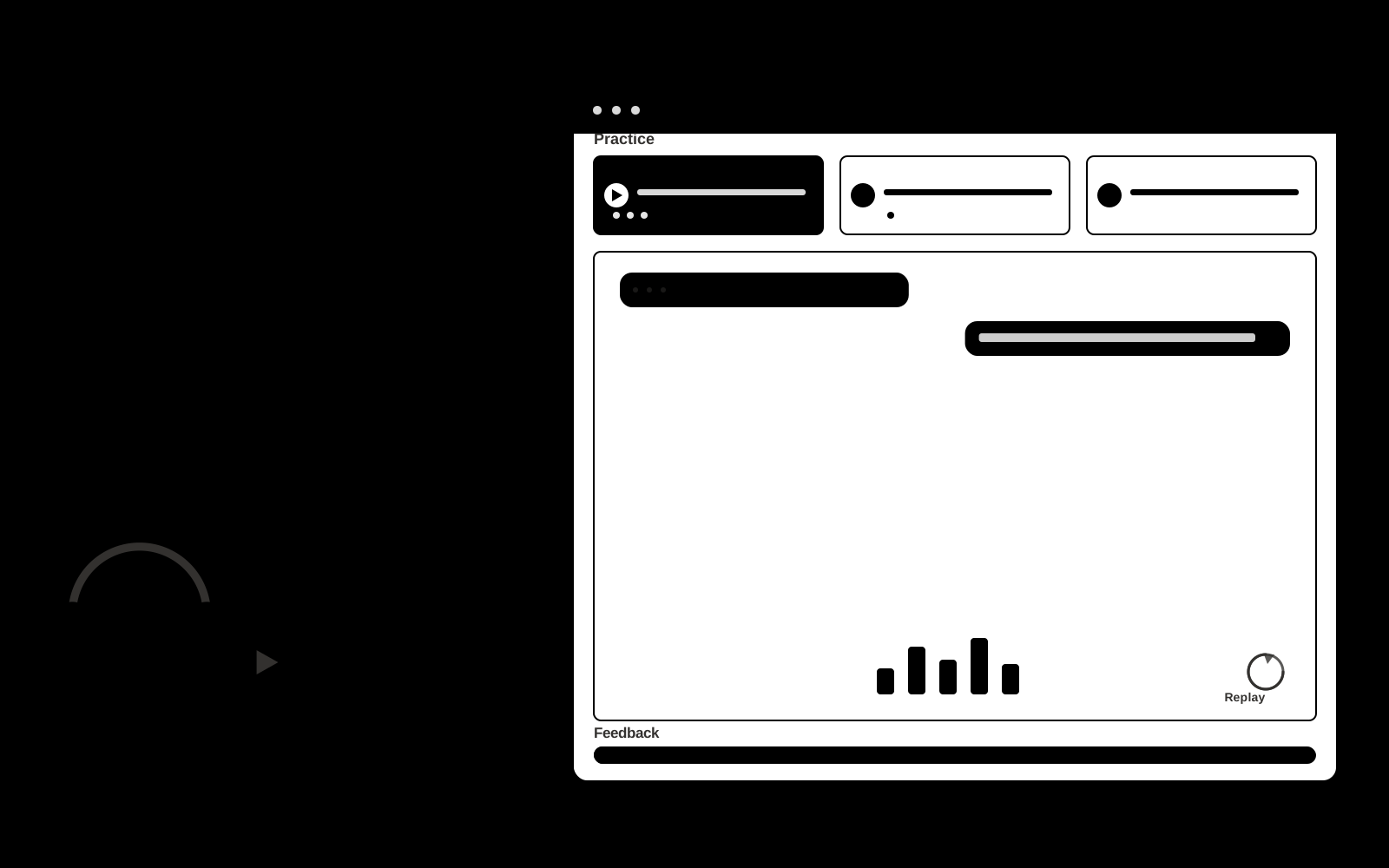
Support onboarding simulator
Practice scenarios generated from the team's actual support situations.
- For
- Training managers at subscription service contact centers
- Solves
- New agents practice on live customers too early.
- Delivers
- Practice transcripts and coaching plans
- Built in
- about 4 weeks of creation time, MVP in 4 days
- Investment
- $8,000 for the MVP, $29,500 for the full product
- Run it
- Inside your business, or as part of your offer to clients
What it does
For training managers at subscription service contact centers, turn approved scripts, ticket examples and service policies into practice transcripts and coaching plans.
- Simulate customer personalities.
- Introduce policy exceptions.
- Score observable actions.
- Show missed steps.
- Replay difficult turns.
- Track skill development.
What goes in, what comes out
- Approved scripts
- Ticket examples
- Service policies

AI drafts, people review. Interactive practice or facilitated workshop platform.
- Practice transcripts
- Coaching plans
How it works
The workflow
- InStart with
Approved scripts, ticket examples and service policies
- 1
Set the participant’s goal
- 2
Choose or customize a scenario
- 3
Conduct an interactive session
- 4
Record choices or dialogue
- 5
Review evidence-based feedback with a facilitator when needed
- 6
Repeat selected parts with changed constraints
- OutFinish with
Practice transcripts and coaching plans
AI does the heavy lifting, people stay in charge
Generate responsive dialogue, alternative situations and structured reflection prompts. Ground feedback in agreed goals or rubrics. Treat creative choices and facilitator judgment as authoritative. Evaluate specific actions rather than infer personality or hidden traits.
What your team sees
Key screens: Scenario library, conversation simulator, feedback report. Use a scenario catalog with clear goals and difficulty settings. The main session area supports text, optional voice and visible context. Follow it with a replay or decision map, annotated feedback and a next-practice plan. Facilitators can author scenarios and review participant-selected sessions. In this product, the first view is scenario library, followed by conversation simulator and feedback report.
Accounts and administration
Participant-controlled session sharing, scenario versions, facilitator tools, replay history, rubric calibration, practice goals and exportable feedback.
Integrations and data access
Support inboxes, help centers, order records and customer feedback systems. Learning portals, calendar scheduling and authorized session exports. Make recording, sharing and retention controls explicit in the product. These are candidate integration categories, not verified supported connectors.
How we build it
We build with our own AI software development factory, so most implementations take days to a few weeks of creation time, not months. You see working software at every step, and exact timing depends on availability.
- 1
Scoping call
Day 1Thirty minutes on your process, your data and how you want to run it: for your own team, or for your clients. You get a fixed scope and price for the MVP.
- 2
MVP
4 daysOne buyer segment, one recurring use case; first modules: simulate customer personalities; introduce policy exceptions. Manual review in the loop. Built by our AI software factory.
- 3
Paid pilot
5 daysAccounts, roles, review states, audit trail and the first integration, hardened for two to three paying pilot customers.
- 4
Full product
9 daysRemaining modules: show missed steps; replay difficult turns; track skill development. Self-serve onboarding, billing, monitoring and the wider integration set.
- 5
Run and improve
MonthlyWe host, monitor and improve it for a fixed monthly fee, or hand it over to your team. How the retainer works.
Why we start with an MVP
An MVP, or minimum viable product, is the smallest version that your users can actually work with. It is not a cheap version of the full solution. It is a test, built to answer the questions that decide whether the rest is worth building.
- Pick the riskiest assumption. Here: will training managers at subscription service contact centers use it to solve "new agents practice on live customers too early"?
- Build only what tests it. One team, one use case, a few core modules. People do the rest by hand for now.
- Run a paid pilot. Run a short scenario with representative participants, then repeat with a different case.
- Measure, then decide. Track rubric improvement and trainer correction rate. Then expand, change course or stop, with evidence instead of opinions.
MVP scope for this solution. Begin with training managers at subscription service contact centers and one recurring use case. Build the first two modules: simulate customer personalities; introduce policy exceptions. Provide operator assistance for the third module: score observable actions. Deliver practice transcripts and coaching plans through a manual review queue. Perform other necessary full-scope functions manually during the pilot. Include all applicable access, accuracy and professional-review controls from the start.
After the MVP. After paid pilots establish value, automate the remaining modules: show missed steps; replay difficult turns; track skill development. Add one validated source integration, reusable customer configuration and recurring delivery. Expand to additional teams, document formats or languages only after testing the new scope.
What the build depends on. Scenario state management, coherent dialogue, explicit rubrics, session replay and reviewer feedback. Voice interaction adds latency and audio QA requirements.
Investment
A planning range to start the conversation, not a quote. You pay per phase, so you can stop after the MVP.
- Phase 1
MVP
One buyer segment, one recurring use case; first modules: simulate customer personalities; introduce policy exceptions. Manual review in the loop.
- Phase 2
Paid pilot
Accounts, roles, review states, audit trail and the first integration, hardened for two to three paying pilot customers.
- Phase 3
Full product
Remaining modules: show missed steps; replay difficult turns; track skill development. Self-serve onboarding, billing, monitoring and the wider integration set.
Indicative total, MVP to full product$29,500about 4 weeks of creation time · start with the MVP from $8,000
Running costs per month
A rough indication of monthly hosting and AI model costs once it is live, not tested. Real costs depend on usage, file sizes and the models chosen.
| Stage | Hosting and infrastructure | AI usage | Total per month |
|---|---|---|---|
| MVP and paid pilotabout 3 customers | $30–$60 | $50–$110 | $80–$170 |
| Full productabout 50 customers | $110–$210 | $420–$840 | $530–$1,050 |
Run it or resell it
For your own team
Training managers at subscription service contact centers run it inside the business: approved scripts, ticket examples and service policies in, practice transcripts and coaching plans out, reviewed by your people.
As part of your offer
Agencies, consultancies and software companies can offer it to their own clients under their brand. We build and maintain it; you sell and deliver it.
Your brand, or this one
Run it under your own brand, or start from this concept style.
- primary
#915e27 - accent
#5474c9 - surface
#f1ebe4 - ink
#22201e
- Headings
- Space Grotesk
- Text
- Inter
- Voice
- Warm, clear, calm under pressure
Selling it to your own clients: the go-to-market playbook
Pricing to test
Test USD 300-1,500 for a facilitated team pilot, or USD 20-80 per participant monthly for self-serve practice with limited usage. Bespoke workshops and expert coaching are separately scoped. Pricing is hypothetical.
Message to test
Support onboarding simulator for training managers at subscription service contact centers. Practice scenarios generated from the team's actual support situations. Demonstrate the claim through a realistic first-week agent practice session.
Where to find buyers
Customer service training providers
Lead magnet
A realistic first-week agent practice session
The first 30 days
- Week 1: interview five prospective buyers in this segment: training managers at subscription service contact centers. Ask to see a recent example of the problem and their current process.
- Week 2: prepare this demonstration using authorized or synthetic material: a realistic first-week agent practice session.
- Week 3: present it through customer service training providers and seek one narrowly scoped paid pilot.
- Week 4: review rubric improvement, trainer correction rate, total delivery effort and a concrete renewal decision before increasing scope.
Paid pilot
Run a short scenario with representative participants, then repeat with a different case. Ask a qualified coach or facilitator to assess usefulness and observable improvement independently of the AI feedback. For this solution, use approved scripts, ticket examples and service policies and evaluate practice transcripts and coaching plans. Agree success thresholds with the buyer before starting; collect a baseline for rubric improvement, trainer correction rate. A positive signal is payment and repeat use with acceptable quality and delivery cost, not a favorable demo reaction alone.
Success metrics
Rubric improvement, trainer correction rate
Retention and expansion
Release relevant new scenarios, support repeat practice and offer facilitator review. Expand to another role only with appropriate scenarios and calibrated feedback.
Why clients would pick it
Realistic domain scenarios, qualified facilitator relationships and reviewed examples of useful feedback and successful practice. For this solution, build around practice scenarios generated from the team's actual support situations. This advantage requires execution and accumulated customer trust; the base model alone is not a defensible asset.
Alternatives and positioning
Human coaching, workshops, static courses, roleplay with colleagues and general chat tools. Differentiate on this specific proposed advantage: practice scenarios generated from the team's actual support situations. Test it against the buyer's current method on the same task. Competitor coverage and uniqueness have not been established.
Main delivery costs
Scenario design, voice processing if used, model interaction length, facilitator review, rubric calibration and learner support.
Safeguards
Keep customer account access scoped. Escalate missing evidence and consequential exceptions to staff. Review quality alongside any speed measure. Validate source access and reviewer availability during the pilot. Maintain customer-level access, data deletion controls and a record of final approvals.